
If you spend your evening editing Etsy product photos, cleaning up designs for print-on-demand, or prepping files for your Cricut, you’re already familiar with the drill. Upload the photo, wait for the cloud tool to process it, and watch your credits disappear. Now, repeat it forty more times before calling it a day.
It quickly gets old and boring, especially if you’re working with a large batch and a subscription that charges you per edit. This is exactly the gap Creative Fabrica Studio Desktop is trying to fill. After spending some time with it, here is an honest look at what it does well and where it still has room to grow, and whether it really feels like an apt replacement for cloud tools.
If you want to try it yourself, you can grab this free desktop AI tool for creators directly from Creative Fabrica’s website.
Table of Contents
What is Creative Fabrica Studio Desktop App?
Most creators want more control over their assets, and sharing photos in an invisible cloud that runs on the other side of the world always seems a bit sketchy. Creative Fabrica Studio Desktop solves this very concern and more with its ‘creative’ approach that combines efficiency with control and safety. Once you install it, supported tools such as its Image Upscaler and Background Remover can run locally. All you have to do is download the model locally. This is what the Home UI looks like:
In simple terms, all the heavy lifting will be done locally, on your machine. Moreover, it’s free. We processed around 12 photos, and not once did it stutter or show anything even closely related to any limit. It might have a limit, but it’s certainly high. However, one caveat is that, in some cases, the processing depends on your machine’s power. A slow, old desktop might not be able to process images as fast as a new, powerful machine. That being said, it’s a fair deal, considering there aren’t any other complications, like needing a paid account to get started or a credit card to process images. On top of that, the quality itself is at par with or even above competitive cloud tools. That’s just a cherry on top.
Why Local AI Tools Actually Matter to Creators
This is not a technical footnote but rather something related to creators’ day-to-day experience and how they interact with cloud-based tools. Here are a few ways it can help:
- You are not uploading every single image to a server, which matters a lot to creators who handle client images or product images that can’t be leaked or perhaps designs you’d like to keep on the down low.
- Locally supported tools don’t chip away at your credits, which any tool worth its salt charges you a premium for.
- Since the whole process is being done locally, slow internet speeds are not troublesome at all. However, you do need the internet to start the app itself. After that, though, everything happens locally.
- Different tools are baked directly into the studio workflow. So, you’re not juggling five different apps to get one design finished. We all know how annoying that can be.
Hands-on Testing the Image Upscaler and Background Remover
This wouldn’t be much of a review if we didn’t share our hands-on experience with you. Out of all the tools the platform provides, we tested its background remover and image upscaler. Here is what we found out.
Image Upscaler
There is a thing that pretty much every free AI image upscaler for desktop gets wrong. In most local desktop tools, developers try to keep the local model small to keep the overall application size small, but that is detrimental to the model’s actual capabilities. The same is true for the Creative Frabica Studio Desktop, at least when it comes to size. Its image upscaler is only 31 MB and delivers results comparable to those of similar models, including larger ones. We did not expect it to work so well.

We used the above photo to upscale it and to see if the tool really works. Not by simply making the image bigger, but also by improving clarity and detail. Here is what we got:
Before:
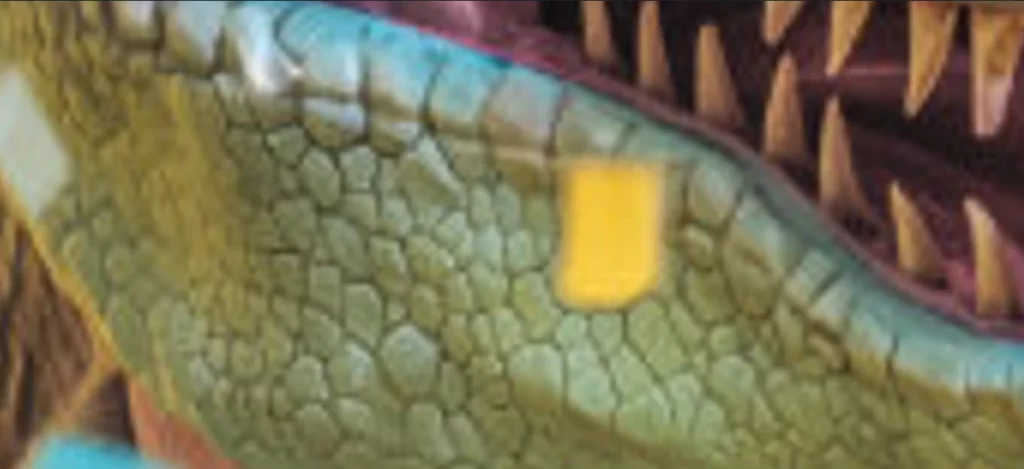
This is the image before we ran it through the tool. It is clearly a bit blurry; sharpness is not even in the room, and details are preserved but are barely visible enough for a layman to point out. Now, let’s see how it looked after processing it.
After:
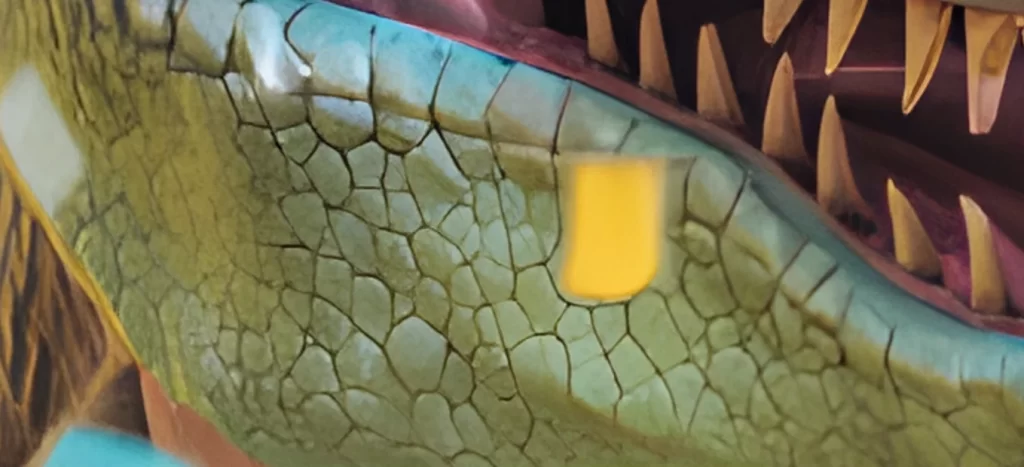
Now this is what we are talking about. You can clearly see that the tool did wonders. For the sake of a fair comparison, we used the same frame at the same magnification. The teeth, scales, and even that piece of confetti seem much sharper than before. Even the fine details of the teeth are preserved. This is what blew us away. Not the fact that it can provide all this clarity, but that the information loss is minimal.
Background Remover
The background remover is a bit hefty. It’s 197 MB. Yeah, sure, not hefty really, but it’s still substantial. However, the trend continues here as well. This offline background remover might just be exactly what you were looking for. In addition to being one of the best background removers for Mac and Windows, it offers all of that completely free. You don’t see free tools work so thoroughly so often. But let’s quit yapping and show you the results.

We used this image for our test. It has a busy background with a variety of colours and green overlapping. It’s really more than what we should throw at a free background remover, but let’s see how it does.
Generic Online Cloud Tool Result:

Before we show you the results of Creative Fabrica Studio Desktop’s local AI background remover, we thought comparing it with a generic online tool would help us better understand the difference. As you can see, the online tool struggles to remove the background precisely. The player’s shoe is still available, and it has erased the child’s feet as well. This will get you in trouble.
Creative Fabrica Studio Desktop Result:

There is still a little work to be done in edge detection, but it still performs far better than any free online tool. It recognises the object in focus quite well and understands the result we need. This might not seem like much, but when you are removing the background from 40 pictures a day, it matters. The more precise your tool is, the less you have to stress over a single picture. It’s generally how it goes.
Who is it Actually For?
Now that we have a basic understanding of how the app works in real-life situations, let’s explore the use cases and possibilities.
- Etsy sellers get a faster way to produce clean, transparent product photos without paying per image.
- Print-on-demand sellers can upscale low-res designs before they go to production.
- Cricut users can generate transparent PNGs for cutting projects without extra software.
- Sublimation creators can sharpen and clean up designs before printing.
- Designers and digital product sellers get a free local option for quick asset cleanup.
- Small business owners and content creators can polish product or marketing images without adding another subscription to the pile.
The Good and the Bad
Just like everything in life, this free desktop AI tool for creators also has its good and bad. Some things are exemplary, while some things need a little polishing. Let’s cover them quickly.
Pros:
- Free to install, no credit card required.
- Works on both Windows and Mac.
- Solid results on background removal and upscaling.
- Fits directly into the existing Studio workflow.
- Useful for creators handling repetitive, batch-style image work.
Limitations:
- Local processing speed depends on your computer’s hardware.
- Models need to be downloaded before first use, which takes a bit of setup time.
- Older or lower-spec machines may run noticeably slower.
- Some features within Studio may still require an internet connection or a Creative Fabrica account, depending on what you are doing.
We Helped You Understand. You Make the Choice
Every review blog ends with a verdict. Not this one, though. Because when it comes to offline AI tools for creators, it all depends on what you want. Do you want privacy and control? Or perhaps you need a tool that doesn’t charge you substantial money just to remove a background? If you do, Creative Fabrica Studio Desktop is made for you. Download it today from their official website and get started in a jiffy. However, if you don’t prioritise privacy, efficiency, or control, use whatever gives you the best results at the lowest cost.
Frequently Asked Questions
Q- Is Creative Fabrica Studio Desktop Free?
A- Yes. Moreover, downloading and installing the supported local tools is absolutely free.
Q- Does the background remover run locally?
A- Yes. All you have to do is download the model, and you can run it locally.
Q- Does it work on both Windows and Mac?
A- Yes. Creative Fabrica Studio Desktop is free to run on both Windows and Mac.
Q- Can Etsy and print-on-demand sellers use it?
A- Yes. More importantly, the free local AI tool is designed with Etsy and print-on-demand sellers in mind.
Q- Do I need an internet connection to run it?
A- Yes. To start the app, you need an internet connection. However, processing the image does not require high internet speeds as it is done locally.