Looking for ways to learn how to turn off iPhone too-close feature, you are in the right place!
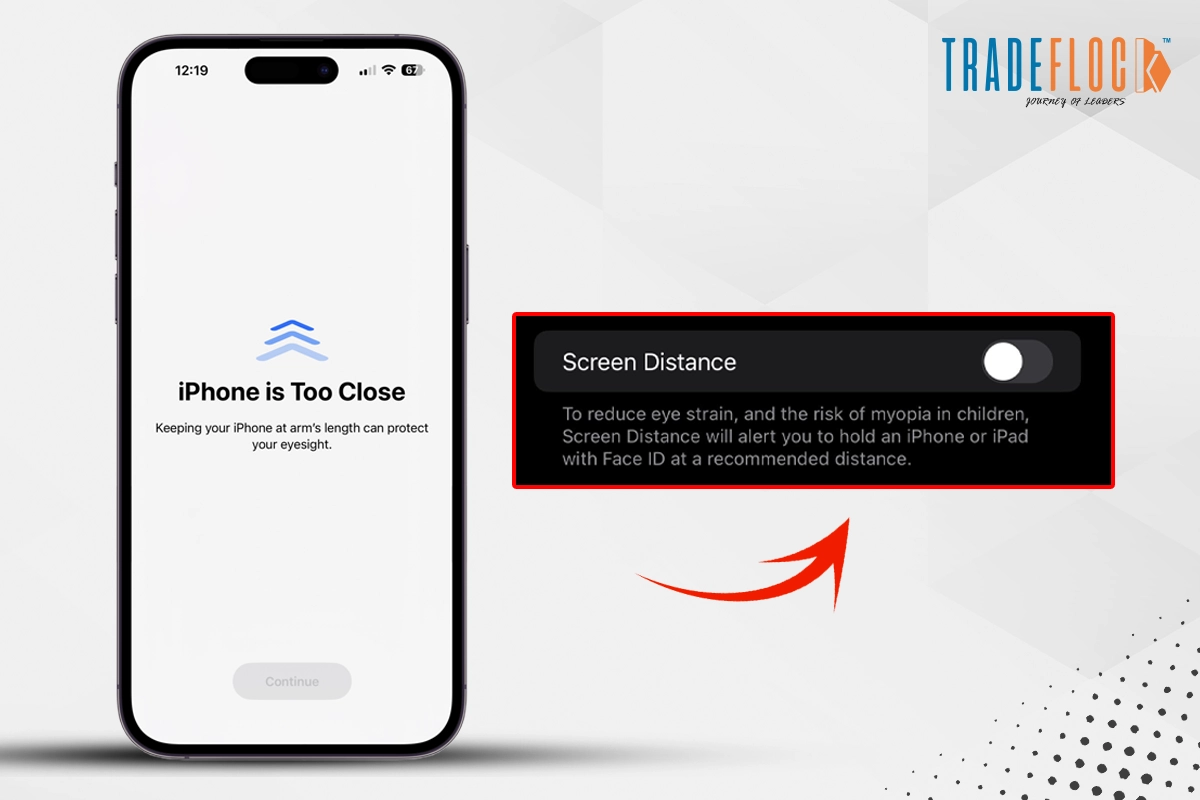
Keeping your iPhone too close for an extended period can cause myopia (nearsightedness). To prevent it, the iPhone updated a new feature, ‘Screen Distance’, as prolonged screen time affects our eyes badly. The iPhone introduced this feature to restrain us from digital eye strain and maintain a healthy viewing habit for our family, friends and children.
While holding a device, we do not realise how close it is to us, especially children, who lean or hold it too close without realising it. Hence, to prevent them from developing myopia, the iPhone’s too-close alert can help us. However, some people find it frustrating to get warned every minute, which forces them to look for how to turn off iPhone too-close alert.
If you also want to know how to turn off screen distance on your iPhone, you are in the right place. Stay here to learn about the iPhone’s too-close settings.
Table of Contents
What is Screen Distance?
Screen Distance is a considerate alert to minimise eye strain and protect your healthy vision, especially for children. It happens when an individual holds their iPhone nearly 30cm (12 inches) for a long time, causing the screen to stop, and the full-screen alert to appear, warning them to move their device further away. Only the TrueDepth camera allows screen distancing. It is a great way to maintain a comfortable eye posture and a reduction in neck and back pain. Although Screen Alert is a generous reminder to engage in healthy viewing habits, people are also irritated by screen distance. Let’s explore why they want to turn off the iPhone’s too-close alert.
Why do people want to turn off the screen distance from their iPhones?
People are annoyed by the continuous blockage of their screen while watching a movie on the bed or working on a long document, which demands you to hold the device close to your eyes, so, definitely, the alert is definitely frustrating for you. However, you can easily learn how to turn off iPhone too close by just following some simple steps.
How to Turn Off iPhone Too-Close
It is very simple to turn off the screen distance on the iPhone. Follow along.
- Open the settings app on your device
- Tap on screen time
- Tap the screen distance limit
- Turn off the feature of Screen Distance
After that, no screen shield will disturb your viewing experience or work. Just in case the screen alert shows up again, remember to follow the above steps again, turn on and off screen distance, and after that, restart your device. If you ever change your mind, then follow the above steps and turn the screen distance on.
Enjoy Using Your iPhone without Alerts
Everyone likes to watch their favourite movies and shows or do their office work on an iPhone without any interruption. Recently, it has become difficult due to the Screen Distancing Alert or an Autocorrect interruption on iPhone. People started to get annoyed by these interruptions as they kept showing every minute. But working or exploring your iPhone will not be interrupted if you just learn some simple steps on how to turn off iPhone too too-close alert. Read our full blog to continue enjoying using the iPhone without alerts.