
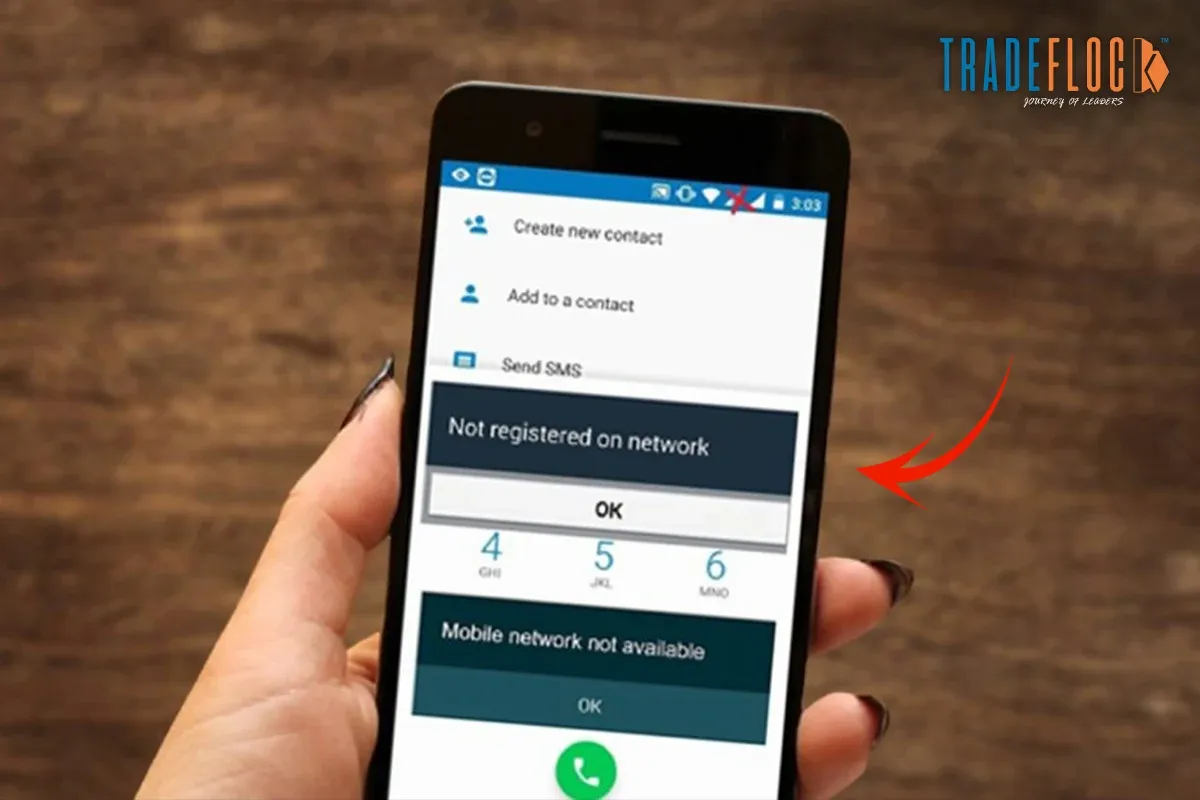
If you ever tried to make a call or send a message and suddenly saw the error “Not Registered On Network”, don’t panic because you are not alone. This is a common mobile network issue faced by users across different smartphones and carriers. You might be wondering what caused this error. Not one or two, there can be multiple causes. In this blog, we’ll walk through everything, including the meaning, causes, and solutions. Let’s dive into the most common problem for Android and iPhone users.
Table of Contents
What Does ‘Not Registered on Network’ Mean?
The “Not Registered On Network” error appears when your mobile phone is unable to connect or authenticate with your mobile carrier’s network. In simple terms, your phone cannot register itself with the network provider, which means:
- You can not make or receive calls
- You can not send SMS or messages
- Your mobile data may not work
Even if your SIM card is inserted correctly, the phone remains disconnected from the carrier’s network, and “Not Registered On Network” appears on your phone screen whenever you try to call or message.
When Do People Face the “Not Registered On Network” Error?
Users typically encounter this error in the following situations:
- While making or receiving calls
- After inserting a new SIM card
- After travelling to a new location or country
- After a software update
- When switching network modes (4G/5G/Auto)
- During network outages or maintenance
This issue can be temporary or persistent, depending on the cause.
Common Causes of “Not Registered On Network”
As discussed earlier, there are multiple reasons behind this error. The following are a few:
1- Network Coverage Issue
Poor signal strength or being in a low-coverage area can prevent your phone from registering on the network.
2- SIM Card Problems
A damaged SIM, incorrect SIM placement, or an old or inactive SIM can cause a “Not Registered On Network” error when placing a call or sending a message.
3- Network Operator Issues
Sometimes the issue is on the carrier’s end due to network outage, maintenance work or account or SIM deactivation.
4- Incorrect Network Settings
Another reason users canencounter “Not Registered On Network” is incorrect network settings. If your phone is not set to select a network automatically, registration may fail.
5- Software or System Bugs
Outdated software or system issues can interfere with network authentication and may cause this issue.
6- IMEI or Device Issues
In rare cases, a blocked or invalid IMEI number can cause network registration failure.
Understanding the causes helps you in resolving the “Not Registered On Network” issue.
How to Fix “Not Registered On Network” Error?
A few simple troubleshooting tips can help you resolve the problem. Read and follow the instructions carefully to fix the problem.
1- Restart Your Phone
A simple restart can refresh network connections and fix temporary glitches.
2- Check Network Coverage
Move to an open area or another location to ensure proper signal strength.
3- Reinsert the SIM Card
It is the simplest way to resolve the “Not Registered On Network” glitch. Do it this way –
- Turn off your phone
- Remove the SIM card
- Clean it gently
- Reinsert it correctly and power on the phone
4- Enable Authentic Network Selection
This way, you can get rid of the error “Not Registered On Network”. Follow the steps to enable authentic network selection.
Settings → Mobile Network → Network Operators → Select Automatically
This allows your phone to connect to the correct carrier network.
5- Change the Network
Your phone must have different networks, so try switching between-
- 4G/3G/2G
- 5G/4G
This can help the device re-register on the network.
6- Update Your Phone Software
Check your system updates if you’re facing the “Not Registered On Network” issue.
- Go to Settings
- Update Software
Updating software often fixes network connectivity issues.
7- Reset Network Settings
This will reset Wi-Fi, mobile data, and Bluetooth settings.
Settings → Reset → Reset Network Settings
Remember, your personal data will remain intact.
8- Contact Your Network Provider
If none of the above solutions work, contact your carrier provider to confirm
- Confirm your SIM is activated.
- Check for network outage.
- Replace the SIM if necessary.
Hopefully, these solutions will resolve the “Not Registered On Network” error. And if not, seek professional help.
Also Read: The Number You Have Dialed Has Calling Restrictions
When Should You Seek Professional Help?
Professional helps becomes important when –
- The error persists for several days
- Your SIM works on other phones, not yours
- Your IMEI number is blocked or invalid
These may be the conditions under which you need professional assistance to resolve the error “Not Registered On Network”.
Frequently Asked Questions
Why did my phone suddenly lose network connection?
It happened due to a weak signal, aeroplane mode, carrier outages, expired plans, software bugs, damaged SIM cards, or temporary issues with a nearby cell tower.
What are the signs of a hacked Wi-Fi connection?
Common signs include slow internet speeds, frequent disconnections, unknown devices on the network, changed router settings, redirected websites, or security warnings from apps or browsers
Can SIM card damage cause a network issue?
Yes, a damaged or improperly inserted SIM card can cause poor signal, no service, dropped calls, or inability to connect to mobile data networks.
What are the first signs of being hacked?
Early signs include unusual pop-ups, unknown apps, rapid battery drain, overheating, unexplained data usage, strange messages sent from your phone, or sudden account password changes.
What is the first thing to do when your phone gets hacked?
Immediately disconnect from the internet, enable aeroplane mode, change important passwords from another device, scan for malware, and back up essential data before resetting the phone.