
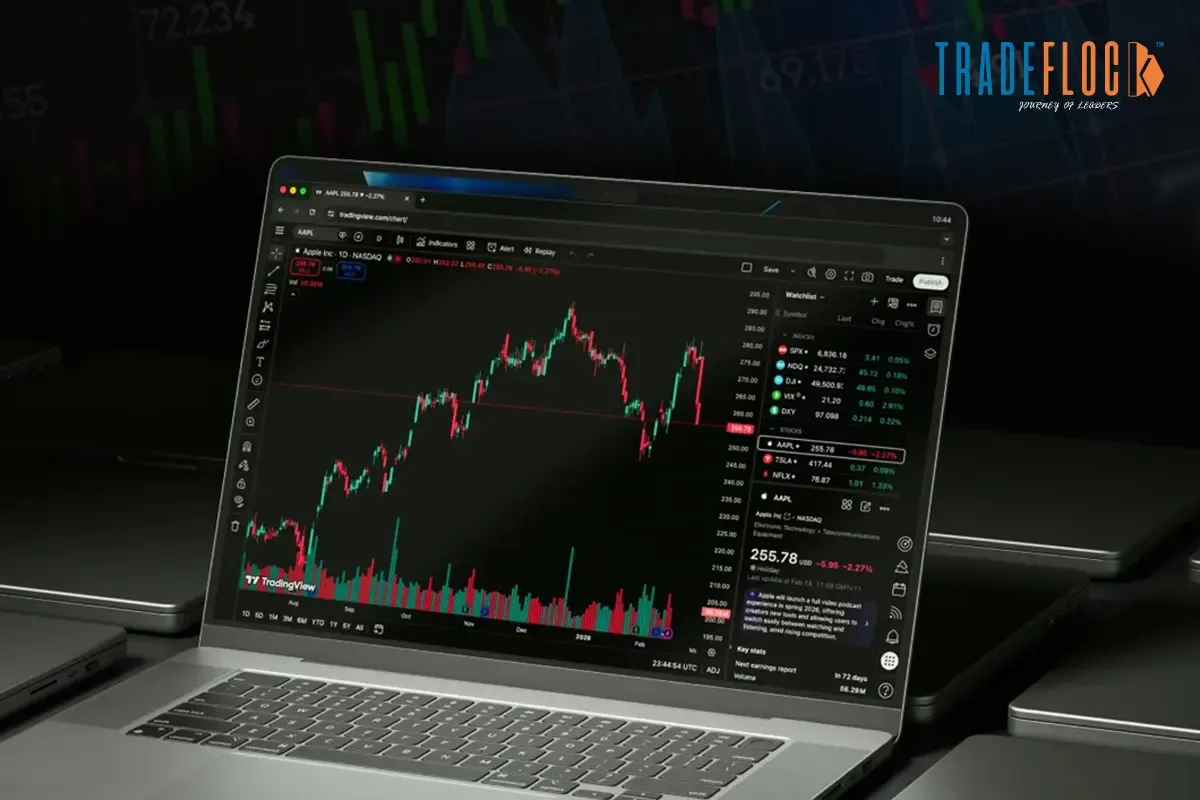
If you are new to the trading industry or a trading expert who has to go through open charts every day, but still doesn’t have a full grasp of what you are actually looking for. Additionally, this tends to create a lot of confusion, which can result in overtrading and missed opportunities.
The reasoning behind such debacles is a simple mistake made by many: as most of the traders just jump from one trading tool to another, and after losing a ton of money with such short-term tricks, they quickly realise the only thing that matters is price.
This is where platforms like TradingView Com chart changes the entire game. Curious to know why? The platform simplifies complex trading data into clean, interactive charts that instantly explain to you what is happening beneath the noise.
This informative guide will give you a sharper, more practical understanding of TradingView.com charts, right away. Read it till the end, to learn the right ways to open it, read them with confidence, and use the tool without overcomplication. It is the best way to avoid unnecessary jargon, just clarity that helps you make better decisions.
Table of Contents
What is a TradingView Com Chart?
A TradingView Chart is a live visual representation of how an asset’s price moves over time. It is designed to transform market numbers into patterns that help traders analyse trends, patterns, and potential opportunities. It can be entry or exit points.
Curious to know what makes TradingView Com Chart stand out? Now you can scan raw data, like you generally do when tracking stocks, forex, crypto, or indices, and the chart creates a structured view of market behaviour. Instead of guessing market direction, you now have a structured view of market behaviour.
Another reason why TradingView.com Chart is usually the trader’s favourite in the current market landscape. It is how the platform balances accessibility with advanced functionality. You can start with just a simple tradeoff, yet scale your analysis as your understanding improves. In simple terms, a TradingView chart doesn’t just show price numbers, but it helps you interpret your market outcomes.
How to Open a TradingView Com Chart?
Getting started with the platform is pretty straightforward. Generally, this will take less than a minute, but make sure you do it correctly; otherwise, you will feel lost once the chart loads.
- Visit your TradingView Com Chart website
- Sign up if you are a new trader or log in if you have an existing account
- Navigate to the top menu of your dashboard and click on your “Products” or access “Super Charts” from there
- Use the search bar on the top left corner to enter a ticker. This can be any trading stock, such as BTCUSD, NIFTY or AAPL
- Select your preferred asset to load your charts instantly
Once all your charts are loaded, your screen becomes your analysis dashboard. Here you can see a live price graph along with toolbars on all sides. At the centre of it, you can clearly see the price movement, while your sidebars give access to tools, indicators, and settings.
Congratulations, you just created your first TradingView Com Chart workplace, where you can see all the analysis happening with a unified dashboard.
Fair Warning: At the initial glance, it may look complex, but once you get a hands-on experience of its technical aspects of it. Going through your product charts will not feel like analysis, but an essential aspect of your daily routine. This will help you simplify your next steps.
How to Read a TradingView Com Chart
All you need to grasp is “Candlesticks” basics, and you are good to go. You must be wondering what this terminology means. These chart types are commonly used in the TradingView platform, as a default setting, and there is a good reason for it.
This provides detailed insights into price movement than a simple line graph. Each candle provides detailed price movement within a specific time period.
- A green candle generally shows that the price moved higher than it opened
- Red candles are a clear indicator of price closed lower than it opened
Each candle further comes with two main parts, the “body” and “wick”. The “body” shows the open-to-close price range, while the “wicks” show the highest and lowest prices reached.
Once you understand this foundational structuring of the “Candlesticks”, you automatically crack the code of “ TradingView Com Chart”. Whether you are a beginner or an expert, you will begin to recognise patterns around indicators. In no time, you will no longer struggle with reading prices
Choosing the Right Timeframe for TradingView Com Chart
Each chart operates within the designated timeframe. This instantly determines how much data a candle represents at a given period of time.
- Lower timeframes, such as 1–5 minutes, generally show quick movements
- Mid time-span of 15 min–1 hour is a clear indicator of intraday trends
- Higher time-frames, like daily, weekly, showcase a broader overall direction
TradingView Com Chart helps you easily switch timeframes, so you can avoid tunnel vision and focus on the bigger picture. Moreover, if you are smart, traders don’t rely on one timeframe but add multiple alignments simultaneously.
Quick Tip: A well-established market trade setup aligns small time frames with your long-term goals. A trade that looks strong on a 5-minute chart might be weak on a daily chart.
Essential Tools Inside TradingView Com Charts
This platform offers hundreds of tools, but only a few core ones make all the difference if you are just starting
1. Indicators
- RSI (Relative Strength Index): It generally shows momentum and overbought or oversold conditions
- Moving Average: This smoothes prices, which helps you identify the overall trend
- Volume: Confirms the strength behind a strong price move is
These tools help confirm what price is actually telling you and not misinform you.
2. Drawing Tools
- Trendlines: Identify and visualise direction
- Horizontal lines: Showcase support and resistance at each key level
- Fibonacci retracement: Highlights the possible and potential pullback zones
This is one of the valued tools that bring structure to your chart and make patterns easier to recognise.
3. Watchlist & Alerts
- Watchlist: Track multiple assets in one place
- Alerts: Get notified when the price hits a specific level
This is your go-to tool feature for beginners, as it reduces the need to constantly monitor charts and helps you act with intention.
TradingView Com Chart Common Mistakes to Avoid
Even with the right tools and setup, small mistakes will not only slow your progress but can also result in poor decision-making.
- Overloading indicators: Adding too many indicators doesn’t instantly mean better results
- Ignoring timeframes: Beginners generally ignore time while trading, which can backfire pretty quickly
- Chasing every move: Jumping between candles is not a trade opportunity, especially if you are not following a clear structure
Another big mistake is relying entirely on indicators without understanding price action. Sure, indicators can control the monetary aspect, but they can’t be the key driver to bring you ROI.
Pro Tips For Beginners To Master TradingView Com Chart Faster
- Use Replay Mode to study past market movements
- Start with practice strategies using paper trading before risking real money
- Keep your charts clean and distraction-free
- Focus on consistency by learning one concept deeply at a time, not perfection
The earlier you simplify your approach, the faster your learning curve improves. In finality, TradingView Com chart is powerful, but only if you know how to use it with clarity and intention. Remember, mastering charts isn’t about complexity; it is about clarity, discipline, and repetition.